Našimi kurzy prošlo více než 10 000+ účastníků
2 392 ověřených referencí účastníků našich kurzů. Přesvědčte se sami

Environment variables in Power Platform. It sounds like the most boring thing in the world, but it is something you simply cannot build a real business application without. Or rather, you cannot build an app in a development environment and migrate it to production—well, actually you can, but you will spend the rest of your life adjusting settings 🙂
What is an environment variable?
An environment variable is… well, a variable. Um, in an environment. The important thing is that:
An application uses a development database and a production database (e.g., a SharePoint list). You put the reference to this database into an environment variable. Then you connect your application or flow to this variable instead of a specific database. As a result, the development app uses a different database than the production one. And during repeated deployments from DEV to PROD, you don’t have to worry about a thing—everything just works exactly as you need it to.
If you didn’t use environment variables, you would have to manually reconfigure all connections with every single deployment. Which, for more complex flows in Power Automate, is simply not realistic.
You can also create a simple “string” variable that might have the value “DEV_env” in one place and “PROD_env” in another. When the app opens, it checks the variable’s value and can alter its behavior using basic conditional logic. A simple example: in the DEV environment, the app could display a message like “Warning, you are in the development environment,” but you’ll definitely find much more interesting use cases.
These aren’t exactly the classic data types you might know from other applications.
In addition to the typical number, text, true/false, and JSON, a Secret variable is also available. But the most important one is the specialized Data Source variable. It comes with pre-built connectivity for Dataverse, SharePoint (site, list), SQL, and—somewhat surprisingly to me—SAP ERP. If you’re looking for Excel, you’ll look in vain, but you can work around it quite easily in Power Automate.
Simply right here, as another component of your solution. Although it would actually make sense to have it directly in the Environment settings as well.

For “non-database” environment variables, the app cannot look them up directly, but it is easy to do using a flow.
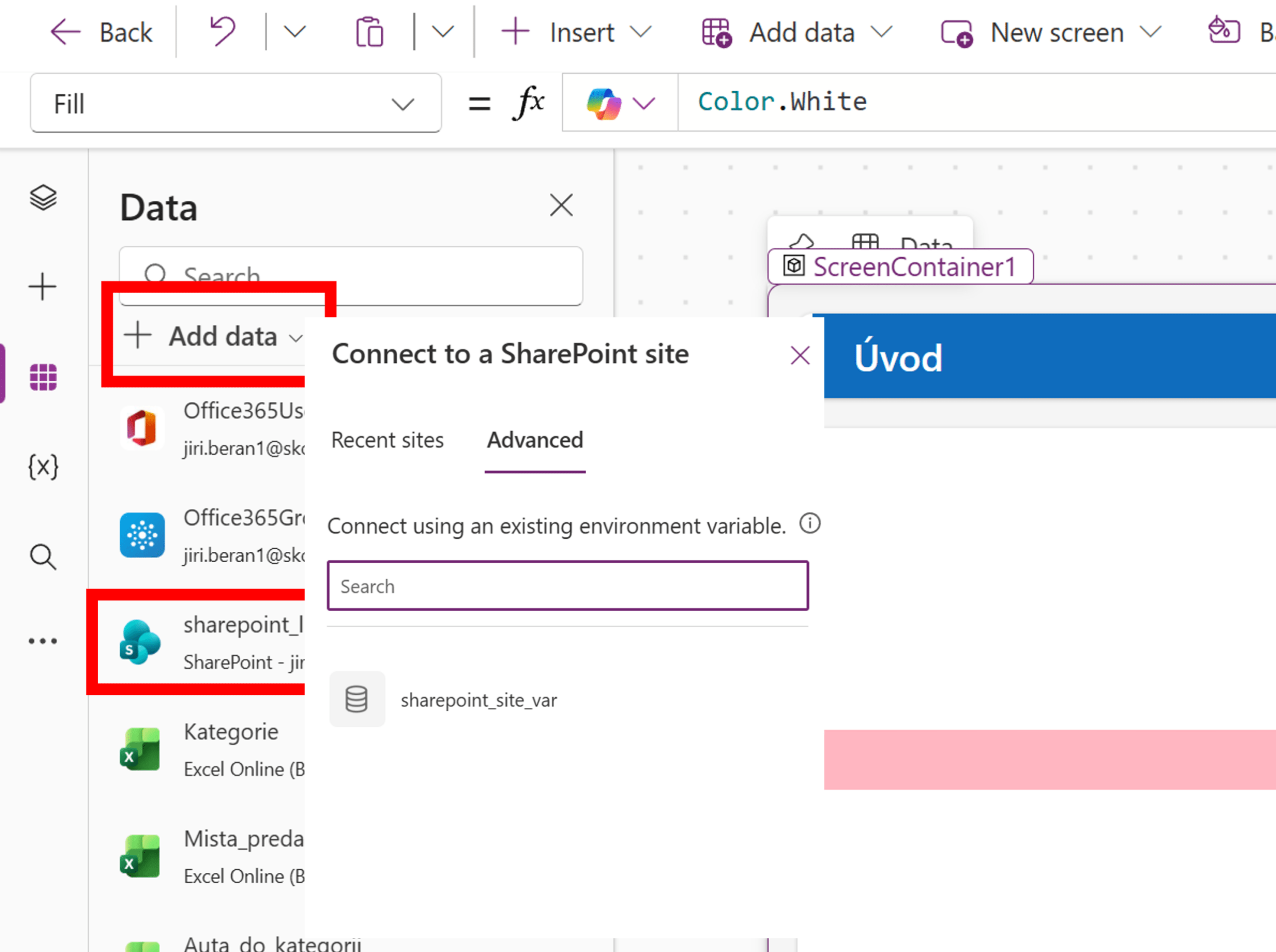
For database environment variables, everything is ready “instantly.”


Pište kdykoliv. Odpovíme do 24h
© exceltown.com / 2006 - 2023 Vyrobilo studio bARTvisions s.r.o.