Našimi kurzy prošlo více než 10 000+ účastníků
2 392 ověřených referencí účastníků našich kurzů. Přesvědčte se sami

When working with Power Apps, it can be useful to know which environment you are currently in. This is especially helpful when you want your application to behave slightly differently in DEV and PROD environments.
However, the standard Power Fx language cannot determine this, and with a non-premium account we do not have access to Dataverse, where we could otherwise retrieve this information.
So, how can we do it?
We can take advantage of the fact that Power Automate, unlike Power Apps, has a direct connector for this purpose.
How does it work?
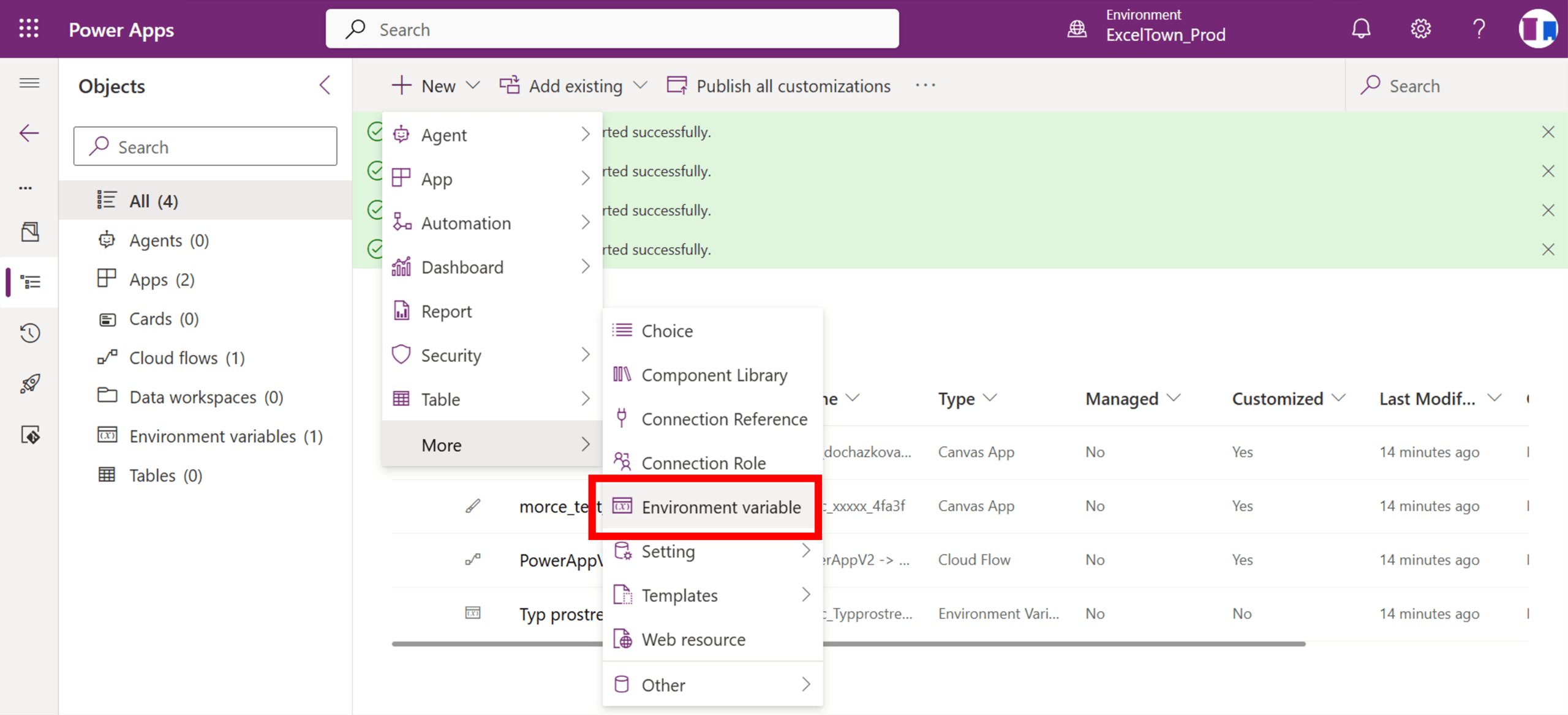
First, create an environment variable and assign it a value. For example, in the DEV environment, set its value to “DEV”.
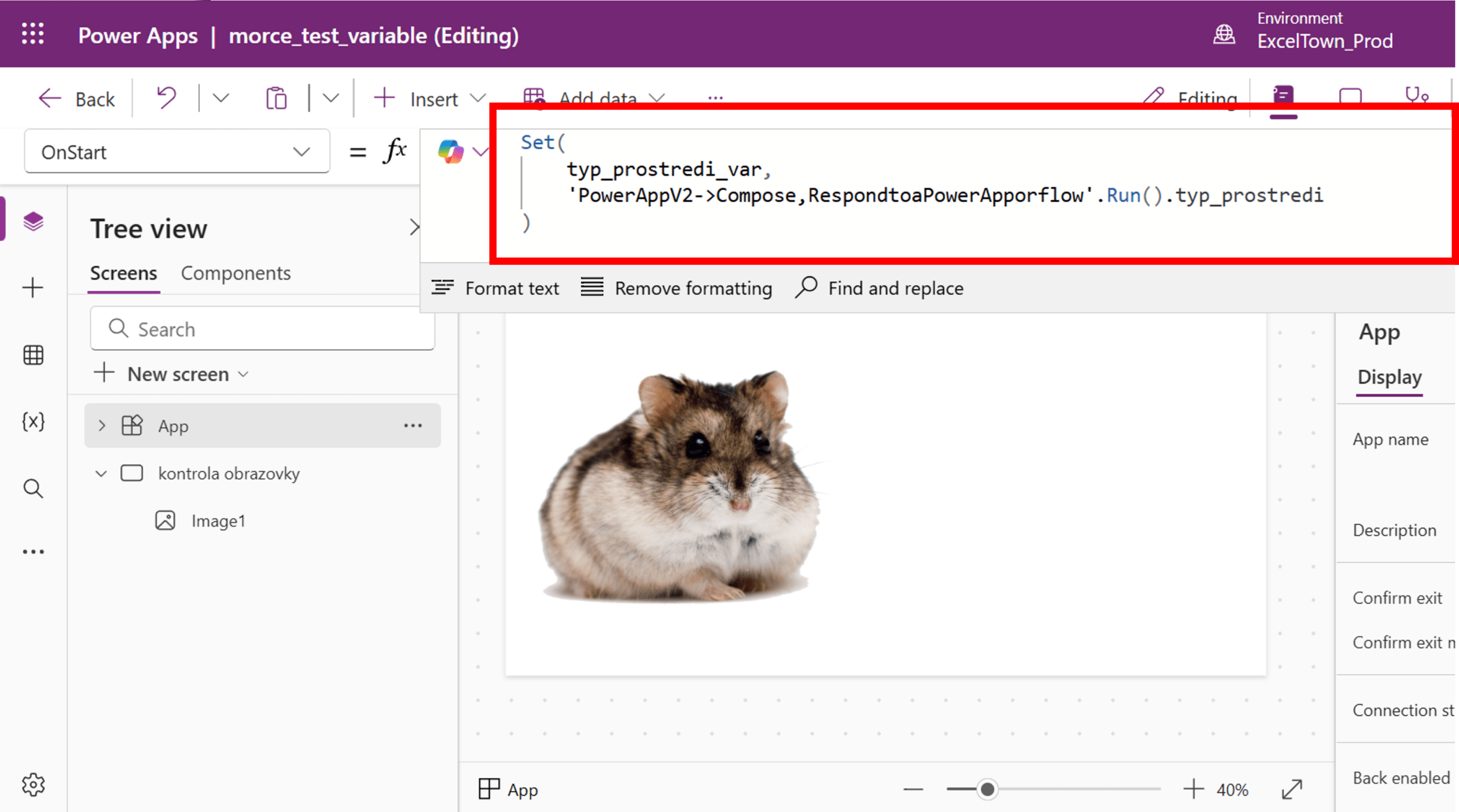
Next, call a flow from your app that can easily read the value of this variable. A common approach is to call the flow when the app starts and store the returned value in a variable.

Finally, return the result back to the application.


Pište kdykoliv. Odpovíme do 24h
© exceltown.com / 2006 - 2023 Vyrobilo studio bARTvisions s.r.o.