Našimi kurzy prošlo více než 10 000+ účastníků
2 392 ověřených referencí účastníků našich kurzů. Přesvědčte se sami

In this article the creation of very basic PowerApps application is described. You can create it in PowerApps desktop application or online in web browser. In this tutorial we will work with browser, but both environments are very similar.
We will work with this table, containing employees of some company.
Let´s save it to OneDrive (or Dropbox etc.).

Login to PowerApps. Select you want to create a new app.
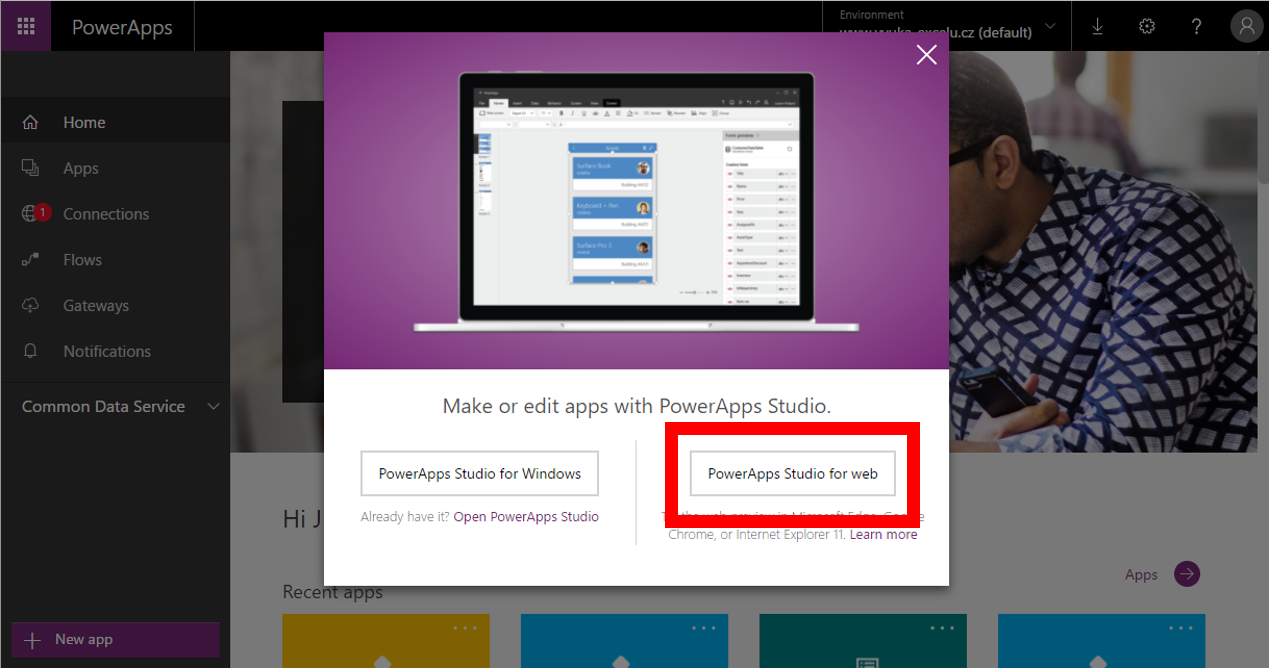
Select the cloud you store the file in:
 Select the file:.

Select the table in file and wait…

Now we are in the builder. On the left side there are three basic sites – overview, detail and edit.

The app can be modified in many ways, but we will run it either by the triangle or by F5 button. It is working and any actions are immediately changing the data in Exel.
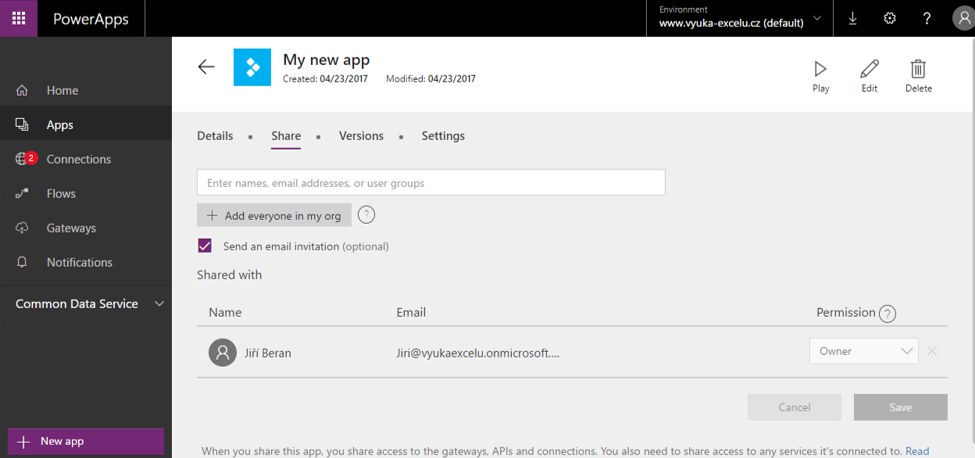 You can save it, share it, enjoy it…


Pište kdykoliv. Odpovíme do 24h
© exceltown.com / 2006 - 2023 Vyrobilo studio bARTvisions s.r.o.